Chat with us, powered by LiveChat
South Florida’s Choice for Quality Home Care
Horizon care Logo
Call 561-776-7757
Book Appointment

Emergency Information Checklist for Seniors: Build the Folder Before You Need It

The call usually comes at the worst possible time. Your mother fell in the kitchen. Your father woke up confused and short of breath. Paramedics are in the living room asking questions — What medications does he take? Is he allergic to anything? Who is his cardiologist? Does she have a DNR? — and the person who knows the answers is the one who can't give them right now.

After more than 22 years of caring for seniors across Palm Beach, Martin, and St. Lucie Counties, we have seen how much difference one organized folder makes in those first minutes. This emergency information checklist for seniors walks you through building that folder step by step: a paper version responders can grab, a secure digital copy family can reach from anywhere, and a simple routine to keep both current.
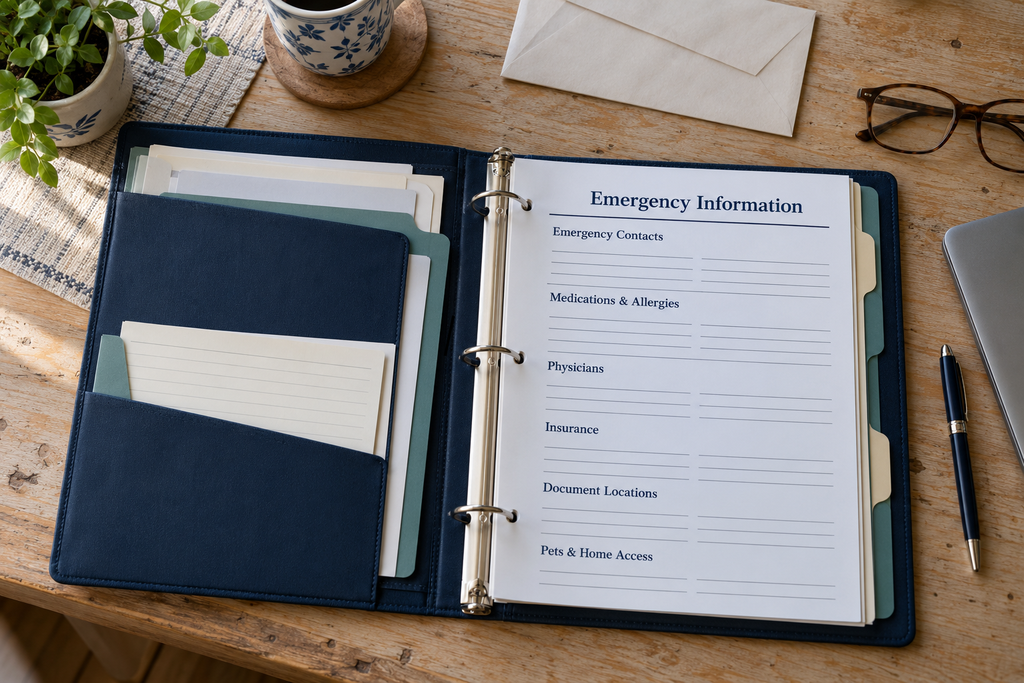
Open binder with a blank emergency information checklist covering contacts, medications, allergies, physicians, insurance and home access.

Why Every Older Adult Needs a Senior Emergency Information Folder

In an emergency, older adults are often the least able to speak for themselves. Pain, shock, a stroke, low blood sugar, or dementia can all make it hard to recall a medication list or a doctor's name. Adult children who live out of town may not know the details, and a spouse under stress can forget things they know well.

A complete senior emergency information folder solves that problem by putting the answers in one predictable place. It helps:

  • Paramedics and ER staff see medications, allergies, and diagnoses in seconds instead of guessing
  • Family members know who to call, where legal documents are kept, and what the person wants
  • Caregivers and neighbors handle pets, keys, and the house while everyone else is at the hospital
  • The senior keep a voice in their own care, even on a day they can't speak up

Most families never think about it until something goes wrong. The goal is to spend one afternoon now so that no one is digging through drawers at 2 a.m.

What Goes in an Emergency Information Checklist for Seniors?

Use the sections below as your working emergency information checklist for seniors. Keep each section on its own page so it is easy to update without rewriting everything.

1. Personal Identification and a Recent Photo

  • Full legal name, preferred name, date of birth, and home address
  • A recent, clear photo (especially important for anyone living with memory loss)
  • Primary language, hearing aids, glasses, dentures, and mobility aids
  • A photocopy of the front of a driver's license or state ID

2. Emergency Contacts

  • Two to three people, in the order they should be called, with cell numbers
  • Relationship to the senior and whether they live locally or out of state
  • Who holds healthcare decision-making authority (see the legal section below)
  • Your home care agency and the name of the regular caregiver, if you have one

3. Current Medications

  • Every prescription with the name, dose, how often it is taken, and the prescribing doctor
  • Over-the-counter medicines, vitamins, and supplements — these interact with prescriptions too
  • Blood thinners and insulin flagged at the top of the page, since they change how emergencies are treated
  • Your pharmacy name and phone number

If keeping this list accurate is already a struggle, our guide to medication management for seniors covers practical ways families stay on top of it.

4. Allergies

  • Drug allergies and what reaction they cause (rash, swelling, breathing trouble)
  • Food, latex, and contrast-dye allergies
  • Write "No known allergies" if that is the case — a blank space leaves responders guessing

5. Diagnoses and Medical History

  • Current conditions such as heart disease, diabetes, COPD, Parkinson's, or dementia
  • Past surgeries, with approximate dates
  • Implanted devices: pacemaker, defibrillator, joint replacements, stents
  • A copy of a recent EKG or discharge summary, if the doctor recommends keeping one

6. Physicians and Care Team

  • Primary care physician and every specialist, with office phone numbers
  • Home care agency, visiting nurse, therapist, or house-call physician
  • Dentist and eye doctor (often forgotten, sometimes needed)

7. Insurance Information

  • Copies of the front and back of the Medicare card, Medicare Advantage or supplement card, and prescription plan card
  • Long-term care insurance company and policy number
  • VA information, if applicable

8. Legal Document Locations

In most cases, list where legal originals are kept rather than putting originals in the folder. Note the location and who has copies of:

  • Designation of Health Care Surrogate
  • Living will or advance directive
  • Durable power of attorney
  • HIPAA authorization naming who may receive medical information
  • The elder law attorney's name and phone number

One exception: a Florida Do Not Resuscitate Order (DNRO). The Florida Department of Health requires the official form printed on yellow paper and advises keeping it somewhere easy to see, such as on the refrigerator or at the head or foot of the bed. If your loved one has a DNRO, keep it with — or right next to — the paper folder.

9. Preferred Hospital

  • The hospital where the senior's doctors practice and records already exist — for example Jupiter Medical Center, Palm Beach Gardens Medical Center, St. Mary's or Good Samaritan in West Palm Beach, or Cleveland Clinic Martin North Hospital in Stuart
  • Any hospital to avoid, and why

Keep in mind that paramedics generally transport to the closest appropriate facility, especially for strokes, heart attacks, and trauma. A stated preference still helps family and doctors coordinate once the senior is stable.

10. Pets

  • Each pet's name, species, feeding schedule, and medications
  • Veterinarian name and phone number
  • Who has agreed to take the pets if the senior is hospitalized

11. Home Access

  • Who has a house key, and their phone number
  • Gate or guard-house instructions for gated communities, common across Palm Beach Gardens and Jupiter
  • Alarm company name and phone number
  • Location of the water shut-off and electrical panel

Door codes, lockbox codes, and alarm codes should not be written in the paper folder. Share them only with trusted contacts — more on privacy below.

How to Build the Paper Folder, Step by Step

  1. Pick a bright, labeled folder. A red or brightly colored two-pocket folder or clear sleeve labeled "EMERGENCY INFORMATION" is easy to spot.
  2. Put a one-page summary on top. Name, date of birth, photo, top three diagnoses, allergies, blood thinners, emergency contact, and code status. Responders should be able to read it in under a minute.
  3. Add one page per section. Use the eleven sections above, typed if possible, in large print.
  4. Date every page. Write "Updated: [month/year]" at the top so anyone can tell at a glance whether it is current.
  5. Review it together. Sit down with your parent, read it aloud, and fix anything that is wrong. It is their information and their plan.
  6. Place it where responders look. On the refrigerator door or just inside the front door are the most common spots. Tell every emergency contact where it is.
  7. Make a grab-and-go copy. Keep a one-page wallet card with the summary in the senior's purse or wallet for emergencies away from home.

How to Set Up a Secure Digital Copy

A digital version lets an adult child in another state answer a hospital's questions or send a medication list to a new doctor in minutes. Keep it simple and secure:

  • Scan or photograph each page and save it as a single PDF with a clear name, such as "Mom – Emergency Information – Updated Sept 2026."
  • Store it in an encrypted location — a password manager with secure document storage, or a cloud account protected with a strong password and two-step verification. Avoid leaving it as an unprotected email attachment.
  • Share access with one or two trusted people, ideally the healthcare surrogate and the primary emergency contact. Many password managers offer an emergency-access feature for exactly this purpose.
  • Turn on the phone's built-in medical ID. iPhones (Medical ID in the Health app) and most Android phones (Emergency information) let responders see allergies, conditions, and emergency contacts from the lock screen without unlocking the phone.
  • Keep the paper and digital versions identical. When one changes, update the other the same day.

Privacy: What Stays Out of the Folder

A folder on the refrigerator can be seen by anyone who walks into the kitchen — visitors, contractors, delivery drivers. Good emergency preparation should not create a new risk. Keep these out of the paper folder entirely:

  • Full Social Security number
  • Bank, credit card, and investment account numbers
  • Online passwords and PINs
  • Door, lockbox, garage, and alarm codes
  • Original legal documents and original ID cards

Current Medicare cards use a Medicare Beneficiary Identifier rather than a Social Security number, so a copy of the Medicare card is appropriate to include. If an older card still shows a Social Security number, contact Medicare for a replacement. Sensitive financial details belong with the durable power of attorney or elder law attorney, not in the emergency folder.

How Often Should You Update It? The Quarterly Routine

An out-of-date folder can be worse than none, because a responder may trust a medication list that changed months ago. Build in two kinds of updates:

Scheduled Quarterly Reviews

Pick four dates a year — for example, the first week of January, April, July, and October — and put them on the calendar. At each review, confirm the medication list against the pill bottles, check phone numbers, and re-date each page. With Medicare Annual Enrollment running October 15 through December 7, the October review is a natural time to confirm insurance cards, too. In South Florida, pair the spring review with hurricane season prep for seniors so the folder travels with the storm plan.

Update Immediately When:

  • A medication is started, stopped, or changed
  • Your loved one comes home from the hospital or emergency room
  • There is a new diagnosis, doctor, or pharmacy
  • Insurance or a legal document changes
  • An emergency contact moves or changes phone numbers

The weeks right after a hospital stay are when medication lists change most. Our article on post-hospital home care recovery explains what families should watch for during that window.

How Home Care Helps Keep the Folder Current

Even the best-organized family can fall behind, especially when adult children live out of town. That is where a professional care team helps:

  • Our senior advocate services help families organize care-related information, provider contacts, and appointment questions in one place.
  • Companion care caregivers are in the home regularly, provide medication reminders, and notice when a new prescription bottle appears that isn't on the list.
  • Private duty home care offers one-on-one support for seniors with more complex needs, including those living with dementia and Alzheimer's, where an up-to-date folder is especially important.
  • Our post-emergency room care program helps seniors settle back home after an ER visit — the perfect moment to refresh the folder.

For homebound seniors, our sister company Horizon Mobile Physicians provides physician house calls, and the physician's contact information belongs in the folder's care-team section.

Frequently Asked Questions

Where should a senior keep emergency medical information at home?

The refrigerator door and the inside of the front door are the most common locations, because responders know to look there. Wherever you choose, tell every emergency contact and caregiver where it is.

Should the folder include a copy of the power of attorney?

Generally, list where the original is kept and who holds copies. Ask your elder law attorney whether a copy of the Designation of Health Care Surrogate should be in the folder. A Florida DNRO is the main document that should be kept visible at home.

How long does it take to make an emergency information folder?

Most families can complete a first version in one to two hours using this emergency information checklist for seniors. Quarterly updates usually take fifteen minutes.

Helping Families Across Palm Beach, Martin, and St. Lucie Counties Prepare

Horizon Care Services has helped South Florida families care for aging loved ones at home for more than 22 years. Whether you need a caregiver a few hours a week or around-the-clock support, our team can help you put a plan in place — including an emergency folder everyone can trust.

Call 877-227-3890 (local 561-776-7757) or contact Horizon Care Services to schedule a consultation.

Proudly serving: Palm Beach County — North Palm Beach, Palm Beach Gardens, Jupiter, Tequesta, West Palm Beach, Wellington, Royal Palm Beach, Lake Worth, Boynton Beach, Delray Beach, Boca Raton, Singer Island, and Palm Beach Island; Martin County — Stuart and Hobe Sound; and St. Lucie County.

The material contained on this site is for informational purposes only and DOES NOT CONSTITUTE THE PROVIDING OF MEDICAL ADVICE, and is not intended to be a substitute for independent professional medical judgment, advice, diagnosis, or treatment. Always seek the advice of your physician or other qualified healthcare providers with any questions or concerns you may have regarding your health. Information about legal documents is general in nature and is not legal advice; consult a qualified Florida elder law attorney about your family's situation.

Book An Appointment

Kindly take a moment to complete the form and a member of our team will reach out to you as soon as possible.

Reminder

If you're currently experiencing an emergency situation, it would be best to call 911.

Important Notice: No Soliciting


This appointment request form is for patients and their representatives only. Do NOT use this form to solicit services, offer products, or send marketing messages.

Unauthorized use may violate Florida law (Fla. Stat. § 501.201) and HIPAA regulations. All IP addresses are logged. Violators will be reported and blocked.

Checkboxes

Note: Please DO NOT apply for jobs here. Visit our Careers page for more information.

Book An Appointment

Kindly take a moment to complete the form and a member of our team will reach out to you as soon as possible.

No long-term contract · No membership fees · Cancel anytime

Reminder

If you're currently experiencing an emergency situation, it would be best to call 911.

© 2026 Horizon Care Services. All Rights Reserved.
Online Marketing for Doctors and SEO for Doctors by Trudigitalmarketing.com
crossmenuchevron-down linkedin facebook pinterest youtube rss twitter instagram facebook-blank rss-blank linkedin-blank pinterest youtube twitter instagram